
Smarter Choices at the Checkout. What’s Really Happening When You Pay.
March 2, 2026
Mythbusting — Does Having a Credit Card Improve Your Credit Score in Australia?
March 30, 2026
Do you subscribe to the theory that an April Fool’s joke has to be played before 12 o’clock on April 1st? We can all feel a little foolish when we realise that yet another month has gone by and we’re still subscribed to some sort of service we’re no longer using.
This is no joke: it’s worth checking your subscriptions, working out what you actually want, and cancelling what you don’t. It could save you a considerable money and save you from feeling like a fool.
What Do We Mean by “Subscription” These Days?
Those of us with a few years behind us might remember when subscriptions largely meant newspapers and magazines and the slightly guilty feeling of watching a pile of unread issues grow by the door. You looked forward to next month’s edition, or you didn’t, but either way it arrived.
These days, subscriptions mean something much broader. We now commonly think of streaming services, software and apps as subscriptions but there’s quite a bit more in the mix:
• Streaming (video, music, audiobooks, think Netflix, Spotify, Audible)
• Apps and software (cloud storage, productivity tools, creative apps)
• News and digital publications
• Gaming (Xbox Game Pass, PlayStation Network)
• Health and fitness (gym memberships, wellness and meditation apps)
• Box deliveries (meal kits, beauty products, pet supplies)
• Utilities – a kind of hybrid, where you use the electricity or gas before you pay, but the ongoing access works like a subscription model
• Emerging – smart home and ‘internet of things’ (IoT) devices that require ongoing fees to stay up to date and fully “smart”
We’ve even heard that electric vehicles are heading this way, because EVs need software upgrades to stay current, your car could soon be on a subscription model too! Probably not one to unsubscribe from though!
The key shift? With autopayments, if you’re not keeping track, you keep paying even when you stop using. Unlike the magazine pile by the door, there’s no physical reminder that you’ve subscribed to something at all. And while autopayments can make life easier, they do mean the onus is on us to stay on top of what’s coming out.
When Life Moves Fast, Subscriptions Get Left Behind
When you’re in the ADF, this issue can be especially easy to fall into and not because you’re being careless. You’re just busy living an unusually mobile life.
We commonly hear from people who are still paying for a gym membership in a town they no longer live in and where they don’t need a gym membership anymore anyway. A streaming service set up at a previous address. A local news subscription for a city that’s several postings behind them. These things don’t cancel themselves.
Then, there’s deployment. Months away can lead to months of services quietly ticking over billing your account for things you can’t even access. The time to review your subscriptions is before you go, not when you return and notice the damage.
Three Steps to Get on Top of This
Step 1: The Audit – What Are You Actually Paying For?
Set aside an hour and go looking. Here’s how:
- Check two or three months of bank and credit card statements. Look for recurring charges; weekly, fortnightly, monthly and annual. Annual ones are easy to forget between billing cycles.
- Search your email inbox for words like “subscription,” “receipt,” and “renewal.” Many services send a quiet email each time they bill you.
- Check your phone’s app store settings. Both Apple and Android devices show a list of your active subscriptions in one place, often the fastest way to see everything at a glance.
- Don’t forget other payment platforms. PayPal, for example, can have its own recurring payments set up that don’t always show clearly on your bank statement.
One important note: deleting an app does not cancel a subscription. It’s one of the most common traps around. You need to cancel through the App Store, Google Play, or the service’s own website to actually stop being charged.
For each subscription you find, ask yourself:
• Do I still use this?
• Do I use it enough to justify the cost?
• Is there a free version that would actually do the job?
• Am I paying for a tier I don’t need?
You might also find it useful to look back at your bank history more broadly. Our article Go Forward This Year by Looking Back walks through how your transaction history can be a powerful budgeting tool.
What If It’s Hard to Cancel?
You’re not imagining it. Research by the Consumer Policy Research Centre found that 75% of Australians have had a negative experience trying to cancel a subscription. Some companies make it deliberately difficult, burying the cancel button deep in settings, requiring a phone call during business hours, or walking you through multiple “are you sure?” screens designed to encourage you to give up.
If you want to learn more about this, have a look at Why is it so hard to cancel subscriptions or end free trials? from the University of New South Wales.
If you’re stuck, try cancelling through your app store settings rather than the app itself, this often bypasses the friction. Emailing or calling the company directly and keeping a record of your correspondence is your best protection. If you believe a company is being misleading or trapping you unfairly, you can report them to the ACCC.
Step 2: Keep, Cancel or Downgrade
Once you have your list, you have three options for everything on it.
Cancel the obvious ones, no guilt required. You don’t owe anyone an explanation for stopping something you’re not using.
Downgrade where a cheaper tier would cover your actual needs. Many services have multiple levels, and it’s worth checking whether you’re paying for features you never use.
Pause if you’re genuinely unsure. Many platforms offer this, and it’s worth looking for before you cancel outright. If pausing isn’t available, consider whether it’s worth cancelling and resubscribing later. Generally, these businesses want to keep you, so when you go to cancel, you may be offered a discounted rate to stay. Consider those offers carefully, but don’t let a short-term deal pull you back in if you’ve already made up your mind.
A practical tip: work through the list methodically rather than cancelling everything at once in a burst of enthusiasm. Think about annual versus monthly billing, annual plans are often cheaper, but only if you’ll actually use the service all year.
Step 3: Budget for What You Keep
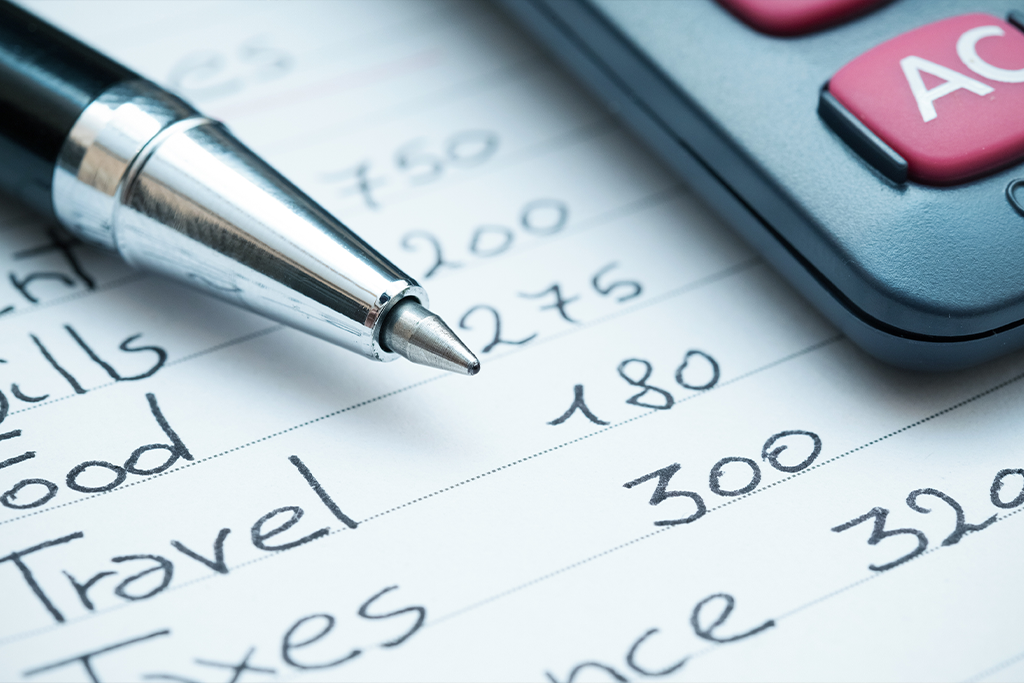
Once you know what you’re keeping, make it visible. Consider grouping all your subscriptions into a single budget line, something like “digital and subscription services”, so you can see the total in one place rather than letting small amounts blur into the background.
Watch out for the annual renewal trap: a monthly fee might feel manageable, but it’s worth calculating what everything adds up to across a year. The total can be surprisingly large.
If you’re heading on a posting or deployment review your subscriptions before you go. It’s a much easier conversation to have with yourself in advance than it is to have with your bank statement on return.
Our Budget Calculator is a great place to map this all out. Building a dedicated subscriptions line into your budget means no more surprises.
Make It a Regular Habit
Set a calendar reminder to do this review once a year or before every posting. It doesn’t take long once you know what you’re looking for, and it tends to get easier each time.
This isn’t about depriving yourself of things you enjoy. It’s about making sure your money is going to things you actually use.